
My time off — your personal leave hub
A new dedicated page brings your leave calendar, balances, and requests together in one place — so you can see what's coming and request time off faster.
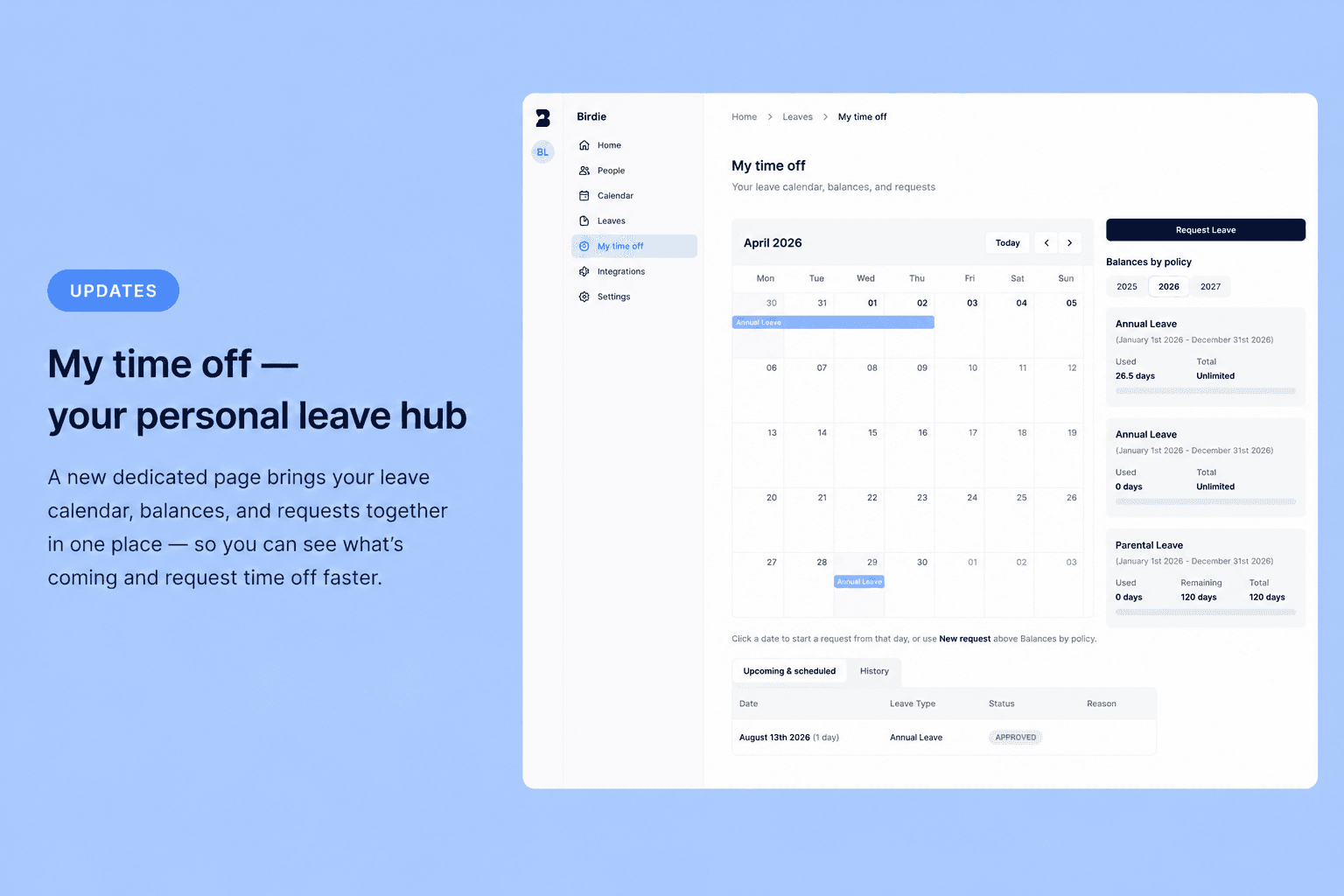
Managing your own time off shouldn't mean jumping between pages. My time off is a new personal hub that puts everything you need in one view.
📅 Your leave calendar, at a glance
See your upcoming and approved leave on a monthly calendar, alongside public holidays for your location.
- Color-coded leave types so you can scan the month quickly
- Pending requests shown with a clear outline style
- Public holidays marked with country flags
- Navigate months with Today, Previous, and Next controls
✨ Request time off in fewer clicks
Starting a request is now more intuitive:
- Click any date on the calendar to open a leave request with that day pre-filled
- Use New request in the sidebar to start from scratch
- Your balances by policy sit right next to the calendar — no need to hunt for remaining days
📋 Upcoming & history, together
Below the calendar, two tabs keep your requests organized:
- Upcoming & scheduled — see what's approved or waiting for approval
- History — browse past requests with pagination
🧭 Easier to find in the sidebar
My time off now lives in the main sidebar, separate from the team Leaves view. If you had bookmarked the old My leaves page, don't worry — /leaves/my-leaves redirects here automatically.
This is a big step toward making Birdie feel more personal for every team member. Try it out from the sidebar and let us know what you think — or drop ideas on our open roadmap.